Configuration
Environment variables loaded from your private .env or host panel. Values below use visibly fake credentials only.
Required at startup: DISCORD_TOKEN, DISCORD_GUILD_ID, and RCON_PASSWORD. Missing required values raise Missing required environment variable: <NAME> and prevent the bot from starting.
Minimal .env
Start with the three required variables, then add status, chat, events, roles, and log settings as you enable those features.
# Minimal required settings — replace every value with your own private credentials.
# Never commit a filled .env file.
DISCORD_TOKEN=MTexample.fake.token.for.docs.only
DISCORD_GUILD_ID=123456789012345678
RCON_PASSWORD=replace-with-a-long-random-password

# Usually needed next for a usable install:
# MC_HOST=127.0.0.1
# MC_PORT=25565
# RCON_HOST=127.0.0.1
# RCON_PORT=25575
# STATUS_CHANNEL_ID=523456789012345678
# ADMIN_ROLE_ID=223456789012345678
# MOD_ROLE_ID=323456789012345678
# MEMBER_ROLE_ID=423456789012345678
# LOG_SOURCE=local
# MC_LOG_PATH=/path/to/logs/latest.log
Add Minecraft host/port and RCON host/port for a usable connection, then channel and role IDs for status, commands, and chat. When LOG_SOURCE=pterodactyl, set all three Pterodactyl variables together. See Troubleshooting for RCON, Message Content intent, PebbleHost log paths, and Pterodactyl auth failures.
Discord
Bind the bot to one Discord application and one guild.
DISCORD_TOKENRequiredBot token from the Discord Developer Portal.
- Default
- None — startup fails if missing.
- Example
DISCORD_TOKEN=MTexample.fake.token.for.docs.only
DISCORD_GUILD_IDRequiredDiscord guild (server) ID this installation is bound to. Commands, chat bridge, and outbound channels are refused outside this guild.
- Default
- None — must be a positive integer.
- Example
DISCORD_GUILD_ID=123456789012345678- Notes
- Missing, blank, zero, or negative values prevent startup.
Roles
Optional role IDs for admin, mod, and member command tiers after the guild check.
ADMIN_ROLE_IDOptionalRole with admin-tier access (for example /sync).
- Default
- Unset — only the guild owner and Discord Administrators have admin access.
- Example
ADMIN_ROLE_ID=223456789012345678
MOD_ROLE_IDOptionalRole with moderator-tier access (/say, /kick, /ban, /pardon, whitelist).
- Default
- Unset — admin-tier members still retain mod access.
- Example
MOD_ROLE_ID=323456789012345678
MEMBER_ROLE_IDOptionalRole with member-tier access (/status, /list, Discord → Minecraft chat).
- Default
- Unset — privileged members and higher configured roles still qualify.
- Example
MEMBER_ROLE_ID=423456789012345678
Channels
All channel IDs must belong to DISCORD_GUILD_ID. Chat and events do not fall back to the console channel.
STATUS_CHANNEL_IDOptionalChannel for the pinned auto-updating server-status embed.
- Default
- Unset — no pinned status embed loop destination.
- Example
STATUS_CHANNEL_ID=523456789012345678
CONSOLE_CHANNEL_IDOptionalStaff-only destination for generic console output when console mirroring is enabled.
- Default
- Unset.
- Example
CONSOLE_CHANNEL_ID=623456789012345678- Notes
- Raw console lines can include player IPs, UUIDs, chat, and operational detail. Keep this channel trusted staff only.
ENABLE_CONSOLE_MIRROROptionalWhen true, mirror unclassified console lines to CONSOLE_CHANNEL_ID.
- Default
- false
- Example
ENABLE_CONSOLE_MIRROR=false- Notes
- Accepted truthy tokens: 1, true, yes, on. Falsy: 0, false, no, off.
CHAT_CHANNEL_IDOptionalBidirectional chat bridge channel for Minecraft ↔ Discord messages.
- Default
- Unset — chat bridge disabled; Message Content intent not required.
- Example
CHAT_CHANNEL_ID=723456789012345678- Notes
- When set, enable Message Content Intent in the Developer Portal. Discord → Minecraft senders need configured-guild owner, Discord Administrator, or a configured admin/mod/member role.
EVENTS_CHANNEL_IDOptionalChannel for join, leave, death, and advancement/challenge/goal embeds.
- Default
- Unset — those events are dropped (no console fallback).
- Example
EVENTS_CHANNEL_ID=823456789012345678
Chat bridge intent checklist: Message Content intent.
Console mirror in practice
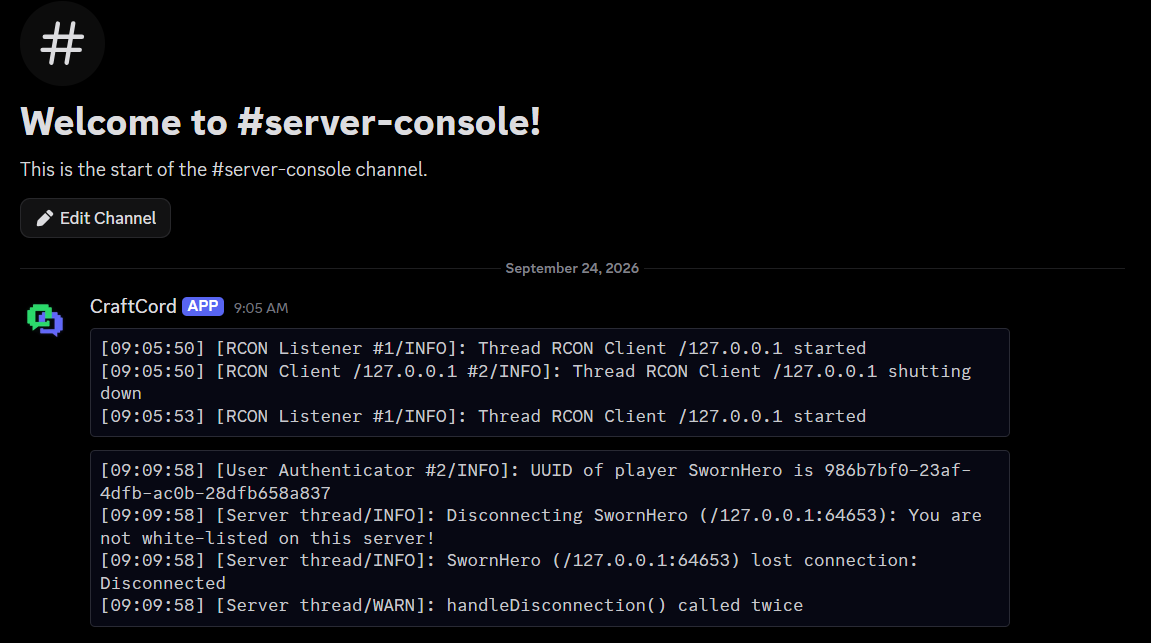
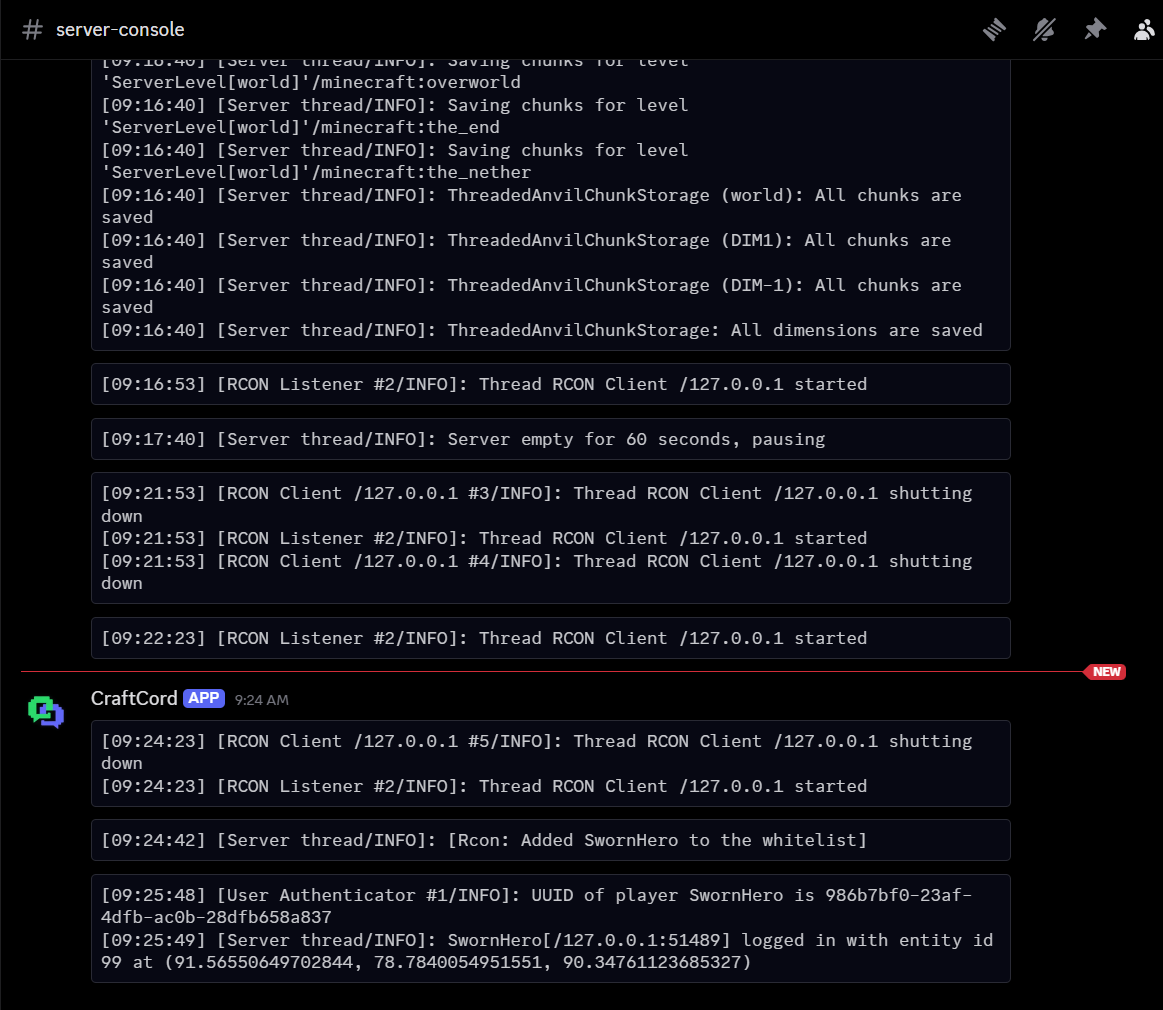
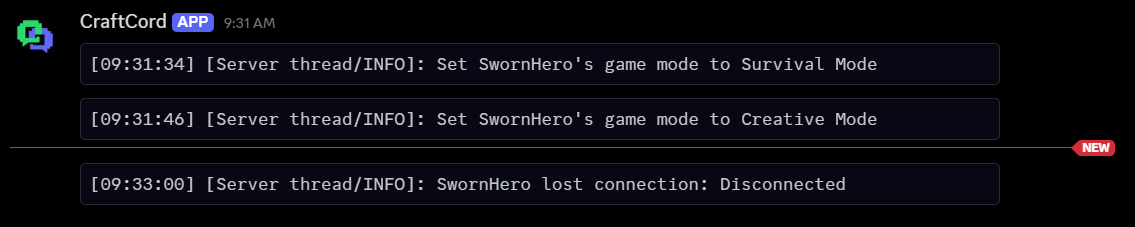
With ENABLE_CONSOLE_MIRROR=true, console lines that are not chat or events are posted to CONSOLE_CHANNEL_ID as code blocks: RCON connections, whitelist and game mode changes, logins, disconnects, and world saves. These lines include player UUIDs and IP addresses, so keep the channel staff-only.
Minecraft / RCON
One Minecraft Java server per CraftCord installation. Status ping and RCON can use different host values when needed.
MC_HOSTOptionalServer-list ping target host. Never shown on the status embed.
- Default
- 127.0.0.1 when the variable is absent from the environment.
- Example
MC_HOST=127.0.0.1- Notes
- A blank
MC_HOST=in.envstays empty rather than applying the default.
MC_PORTOptionalServer-list ping port.
- Default
- 25565
- Example
MC_PORT=25565
PUBLIC_ADDRESSOptionalCosmetic address shown in /status and the pinned embed when set.
- Default
- Unset — Address field omitted.
- Example
PUBLIC_ADDRESS=play.example.com
RCON_HOSTOptionalRCON host for the configured Minecraft server.
- Default
- 127.0.0.1 when the variable is absent from the environment.
- Example
RCON_HOST=127.0.0.1- Notes
- A blank
RCON_HOST=in.envstays empty rather than applying the default.
RCON_PORTOptionalRCON port matching server.properties.
- Default
- 25575
- Example
RCON_PORT=25575
RCON_PASSWORDRequiredRCON password matching server.properties.
- Default
- None — startup fails if missing.
- Example
RCON_PASSWORD=replace-with-a-long-random-password- Notes
- Also set
enable-rcon=trueon the Minecraft server and restart it after changing RCON settings. Keep RCON off the public internet.
If the bot logs RCON unreachable: configured Minecraft server, follow RCON troubleshooting.
Log ingestion
Minecraft → Discord chat and events need a log source. Choose local file tailing or a Pterodactyl panel WebSocket.
LOG_SOURCEOptionalLog backend: local or pterodactyl.
- Default
- local
- Example
LOG_SOURCE=local
MC_LOG_PATHConditionally requiredAbsolute path to latest.log when LOG_SOURCE=local.
- Default
- Unset — local log mirroring disabled.
- Example
MC_LOG_PATH=/home/container/logs/latest.log- Notes
- On PebbleHost Minecraft hosts this path is typically
/home/container/logs/latest.log. Required for local chat and event routing.
PTERODACTYL_PANEL_URLConditionally requiredPanel base URL with no trailing slash when LOG_SOURCE=pterodactyl.
- Default
- Unset.
- Example
PTERODACTYL_PANEL_URL=https://panel.example.com- Notes
- For PebbleHost the README documents
https://panel.pebblehost.com.
PTERODACTYL_SERVER_IDConditionally requiredServer identifier from the panel URL when LOG_SOURCE=pterodactyl.
- Default
- Unset.
- Example
PTERODACTYL_SERVER_ID=abcd1234
PTERODACTYL_API_KEYConditionally requiredClient API key from the panel Account → API Credentials page.
- Default
- Unset.
- Example
PTERODACTYL_API_KEY=ptlc_example_not_a_real_key- Notes
- Invalid credentials log one authentication error and disable log mirroring until restart or credential fix. All three Pterodactyl variables must be set together.
Host-specific help: PebbleHost MC_LOG_PATH and Pterodactyl authentication.
Behaviour tweaks
Optional refresh and persistence settings.
STATUS_UPDATE_INTERVALOptionalSeconds between status embed refreshes.
- Default
- 30 (values under 10 are raised to 10)
- Example
STATUS_UPDATE_INTERVAL=30
DATABASE_PATHOptionalSQLite file for the pinned status message id and reachability-based online_since timestamp.
- Default
- data/bot.db
- Example
DATABASE_PATH=data/bot.db
Secondary reference: GitHub README.